
Every computer relies on several components working together to deliver a fast and responsive experience. When you open programs, browse the web, edit photos, or play games, your system needs a place to temporarily store the information it is actively using. That is where RAM comes in.
RAM, short for random-access memory, works as your computer’s temporary workspace. It holds the data your processor needs right now so applications can run quickly and efficiently. Without enough RAM, even a powerful computer can feel slow, freeze, or struggle with everyday tasks.
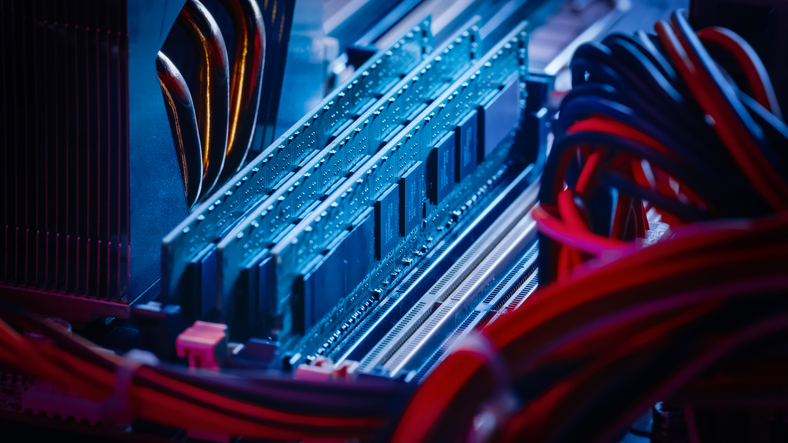
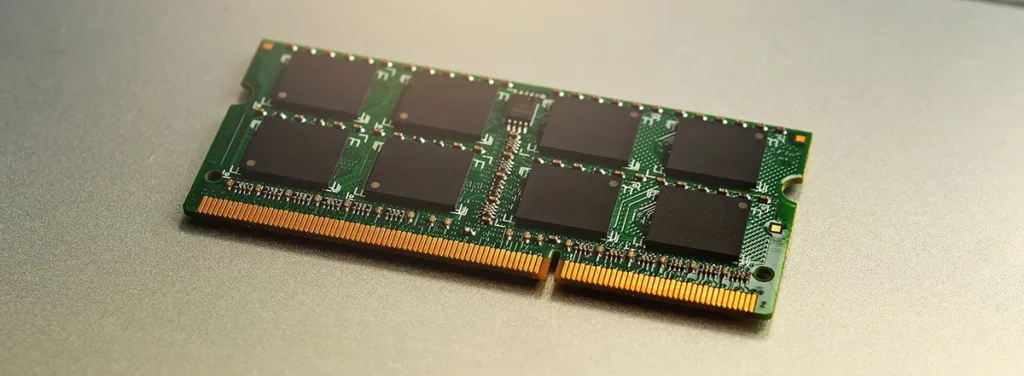
RAM is often called system memory or simply memory. Inside a computer, it usually appears as small circuit boards containing memory chips. These modules connect directly to the motherboard and work alongside the processor to handle active workloads.
When you launch an application, open a document, watch a video, or load a game, important data is moved into RAM so the processor can access it quickly. The processor constantly reads and writes information from this temporary storage while the program is running.
Speed matters because RAM is designed to provide much faster access than long-term storage devices. If your system runs low on memory, it may have to move information back and forth between RAM and your storage drive, which is much slower. This often leads to delays, lag, and the familiar feeling that your computer is struggling to keep up.
A simple way to imagine RAM is to think of it as your workspace. A small desk gives you room to handle only a few tasks at once, while a larger desk lets you spread out documents, tools, and projects without constantly putting things away. More RAM gives your computer more space to manage multiple activities at the same time.
RAM and storage drives serve completely different purposes. Your hard drive or solid-state drive keeps files permanently, including photos, applications, and documents. RAM only stores information while the computer is actively using it. When you close a program or turn off the machine, the contents of RAM are cleared.
This difference is why saving your work is important. RAM is temporary, while storage is where your files remain after the computer shuts down.
The amount of RAM you need depends heavily on how you use your device. Basic activities like browsing, watching videos, and checking email require much less memory than gaming, programming, graphic design, or video editing.
A computer with a small amount of RAM may handle simple tasks, but demanding applications need more space to operate comfortably. More memory allows you to keep more programs open, work with larger files, and switch between tasks without slowing down.
For everyday use, a modest amount of RAM may be enough. However, users who work with creative software, modern games, or professional tools often benefit from significantly more memory. People who want their computer to remain comfortable for years usually choose higher capacities to avoid limitations as software becomes more demanding.
Checking how much RAM your computer has is simple. Most operating systems include built-in tools that display memory information. You can view the total installed RAM, current usage, and how much memory is available through system settings or performance monitoring tools.
Memory usage is also useful to watch. If your computer frequently operates near its maximum capacity, it may indicate that your system needs more RAM. Constantly running out of memory forces the computer to rely on slower storage, reducing performance.
Several warning signs can suggest that your RAM is no longer enough. Programs may take longer to open, large files may become difficult to work with, applications may stop responding, or your computer may slow down whenever several programs are running together.
Installing new software can also reveal memory limitations. Some applications have minimum hardware requirements, and insufficient RAM may prevent them from running properly.
Upgrading RAM is often one of the easiest ways to improve a computer’s performance. Many desktop computers and some laptops allow users to add additional memory modules. This can extend the useful life of a device without replacing the entire system.
However, there is a point where upgrading individual components is no longer the best choice. Older computers may have limited upgrade options, outdated hardware standards, or processors that cannot keep up with newer software.
Before investing in more memory, it is worth considering whether the computer as a whole still meets your needs. A newer system may provide improvements beyond RAM, including a faster processor, better storage technology, improved battery life, and support for modern features.
RAM plays a major role in how smooth and responsive your computer feels. Understanding what it does and recognizing when you need more memory can help you make better decisions about upgrades and keep your device performing at its best.