Today is Patch Tuesday, February 10, 2026, and Microsoft is rolling out KB5074105. After January’s disastrous update caused boot failures, Remote Desktop crashes, and Outlook freezes requiring three emergency fixes, nobody’s approaching this update casually. But beyond security patches, Microsoft introduces eight features that actually improve Windows 11.
Let’s see if they can deliver updates without breaking computers this time.
The 8 Features Actually Worth Installing
1. Cross-Device Resume Expansion
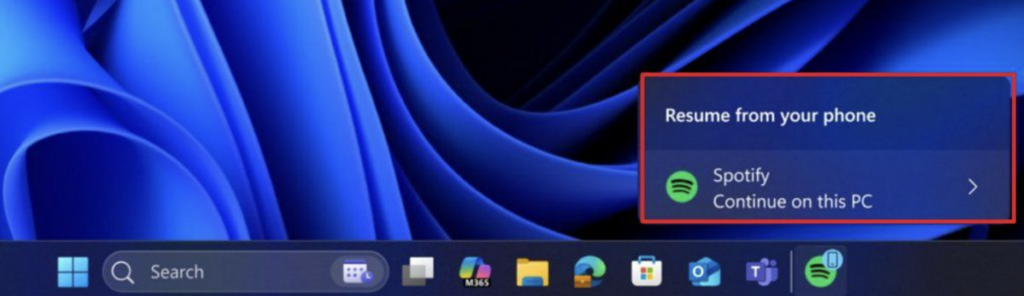
Your Android phone now talks to your Windows PC in useful ways. Listening to Spotify on your phone? Unlocking your PC triggers a notification asking if you want to resume the same song on your computer. This works with Word, Excel, PowerPoint documents, and browsing sessions.
Supported manufacturers: HONOR, OPPO, Samsung, Vivo, and Xiaomi
The feature requires both devices connected to the internet and the Link to Windows app configured on Android 10 or later. It’s seamless transition between devices that should have existed years ago.
2. Smart App Control Without Reinstallation
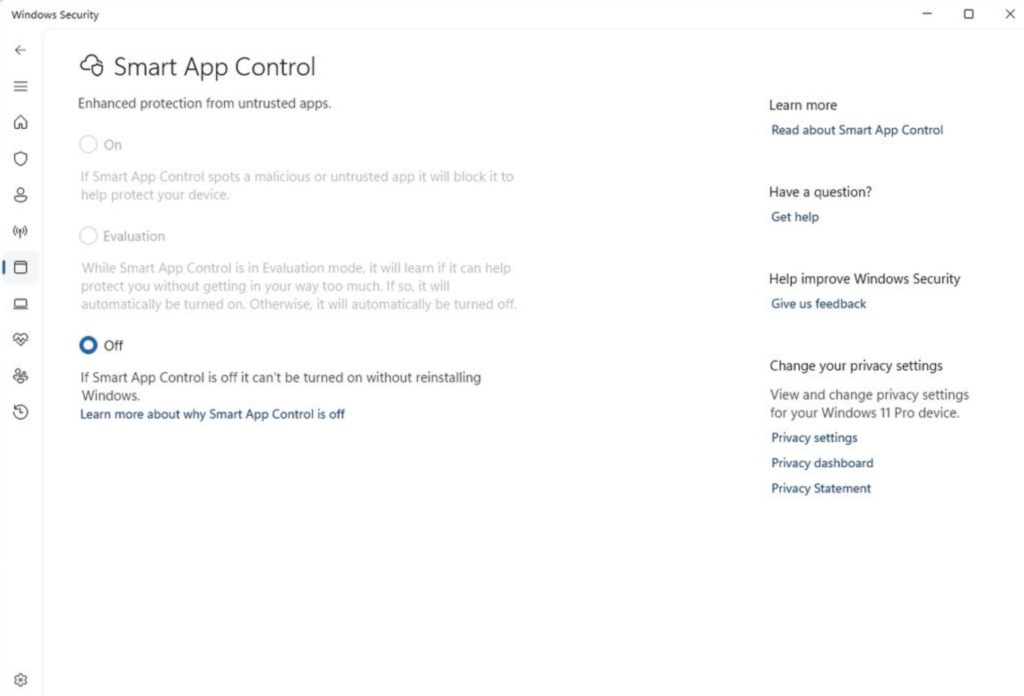
Smart App Control blocks untrusted applications from running. Previously, enabling it meant you needed to reinstall Windows entirely to turn it off. That’s insane.
Starting today, toggle it on or off through Windows Security > App & Browser Control > Smart App Control without reinstalling anything. Microsoft finally realized forcing reinstallation to disable security features was terrible UX.
3. Windows Hello for External Devices
| Feature | Before | After |
| Supported devices | Built-in sensors only | External fingerprint readers |
| Configuration | Limited | Configure from Sign-in options |
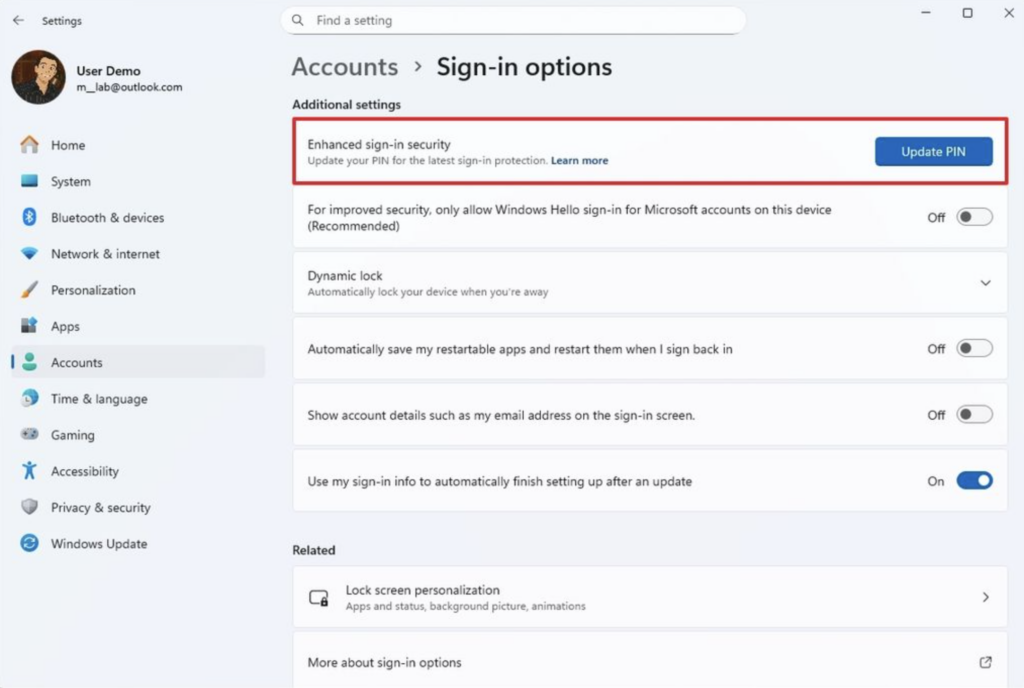
Windows Hello Enhanced Sign-in Security now supports external fingerprint readers. Desktop users without built-in biometric hardware can now use Windows Hello’s security benefits with third-party readers.
4. Windows MIDI Services Major Upgrade
Musicians and audio professionals get significant improvements:
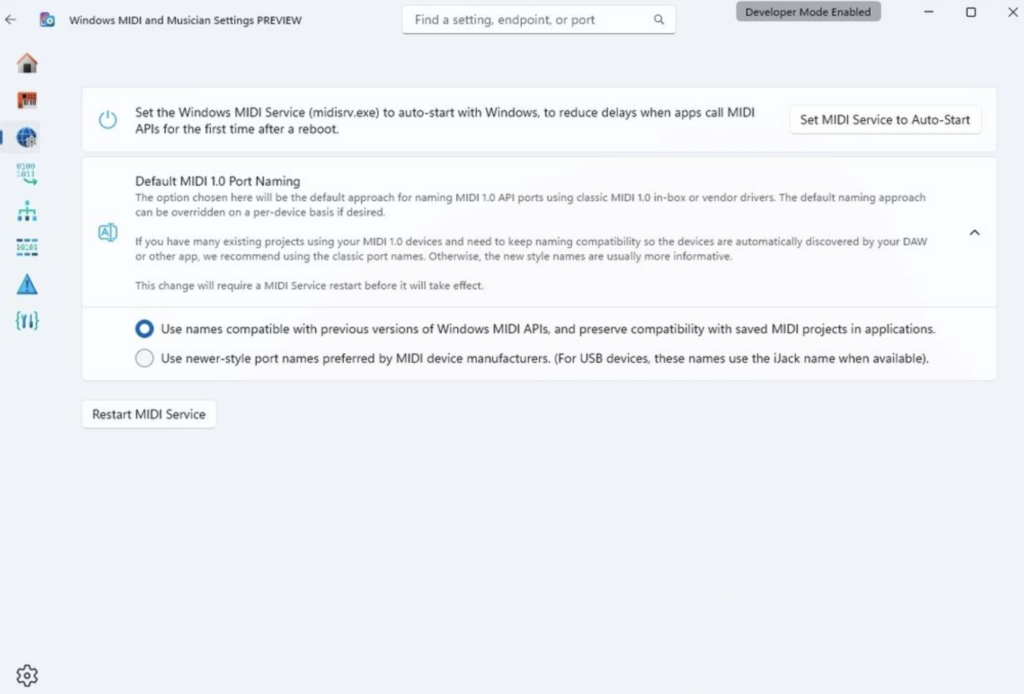
- Shared MIDI ports across multiple applications
- Custom port names for better organization
- Loopback MIDI for routing between apps
- App-to-app MIDI communication
- Full MIDI 1.0 translation support
This transforms Windows 11 into a more capable music production platform. Previously, MIDI port management was clunky and limiting.
5. Voice Access Setup Wizard
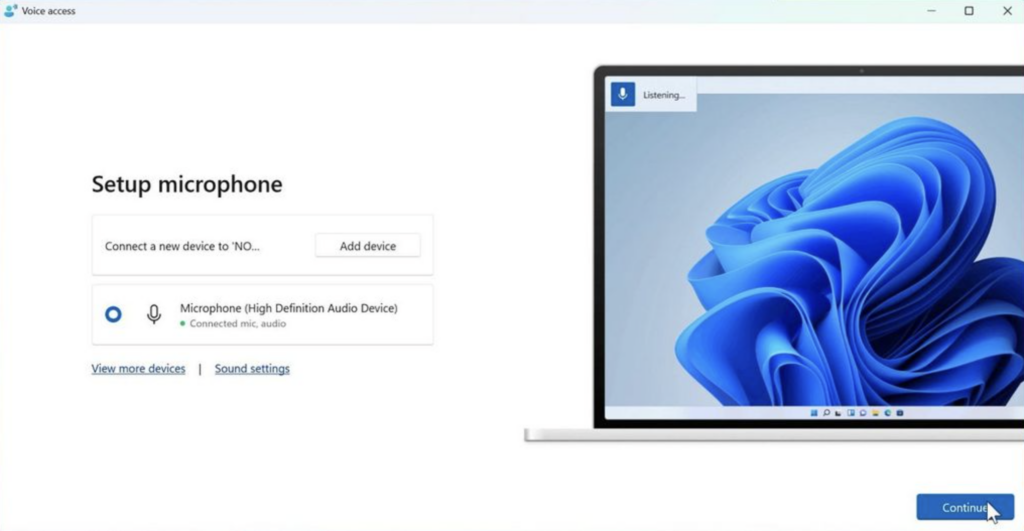
Voice Access receives a new setup wizard with guided configuration for language selection, automatic speech model downloads, primary microphone configuration, and getting started tutorials.
For users with disabilities who rely on voice control, this streamlined setup removes friction from challenging configuration.
6. Voice Typing Wait Time Customization
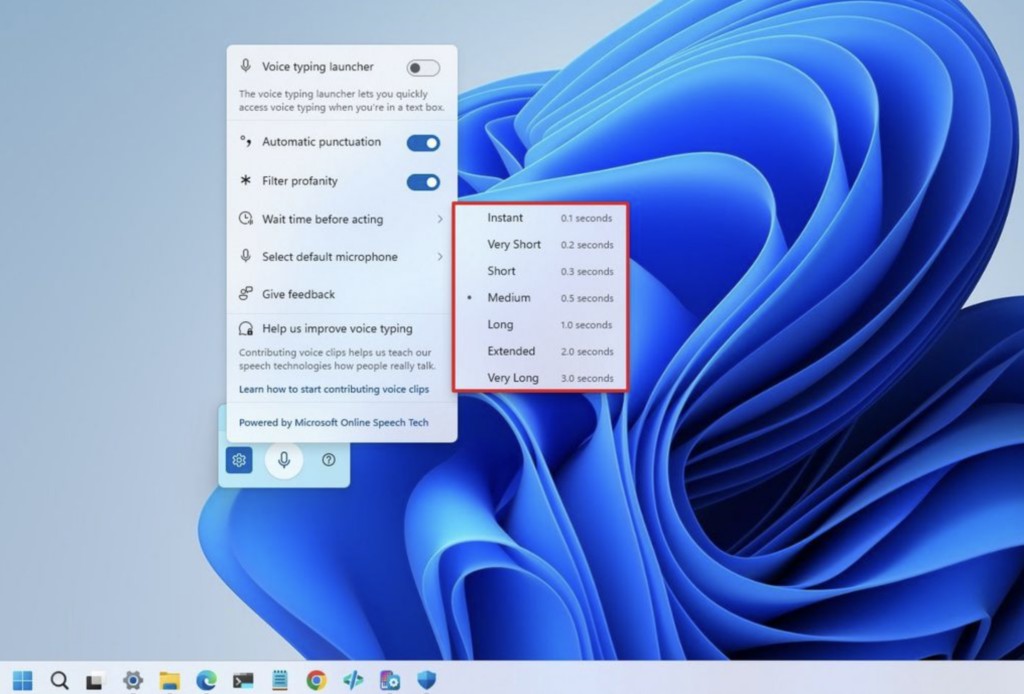
Voice Typing now lets you set how long it waits before acting on voice commands. Find this in Voice Typing Settings > Wait time before acting. Options range from instant execution to very long delays, helping users with different speech patterns or noisy environments.
7. Enhanced Narrator Customization
Narrator gains improved customization controls, giving users more control over how the screen reader behaves and sounds. These accessibility improvements build on Microsoft’s steady work throughout 2025.
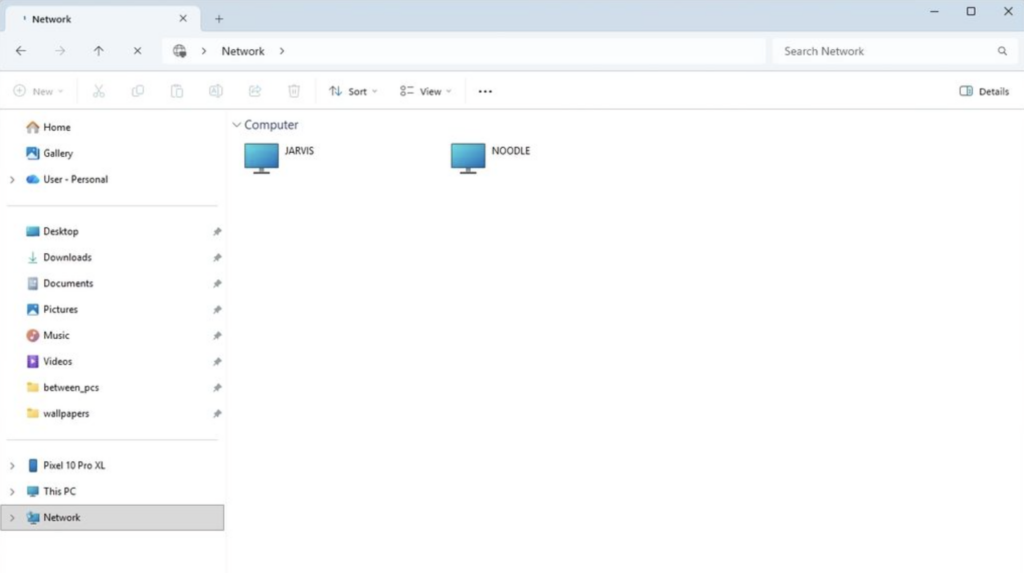
8. File Explorer Network Performance
File Explorer gets networking enhancements speeding up navigation through network locations. Anyone who regularly accesses network storage knows how sluggish File Explorer can be. Even modest speed improvements help productivity.
The January Disaster Nobody Forgot
January 2026’s Patch Tuesday introduced boot failures on systems using Secure Launch, UNMOUNTABLE_BOOT_VOLUME errors, Remote Desktop connection breaks, Outlook Classic freezes, and cloud-file crashes.
Microsoft needed three separate emergency fixes within two weeks. That signals fundamental quality assurance breakdowns, not minor oversights.
February’s update carries higher stakes because trust is damaged. If KB5074105 introduces new problems, users will rightfully question whether Microsoft can deliver stable updates.
The Gradual Rollout Reality
Microsoft uses Controlled Feature Rollout technology, meaning features arrive gradually even after the update installs. You might not see all eight features immediately. Some roll out over days or weeks as Microsoft monitors for issues.
Power users can force features on early using ViVeTool with vivetool /enable /id:58988972 in an administrator Command Prompt. Microsoft’s official guidance is letting features arrive naturally.
Who This Update Matters For
- Windows 11 users: You get all eight features plus security patches. This is your primary update today.
- Windows 10 ESU users: You receive security fixes but none of the Windows 11-exclusive features. With ESU support ending October 2026, migration time is running out.
- IT administrators: February continues January’s high-tempo patching environment. Test thoroughly before deploying to production systems.
- Musicians: The MIDI upgrades are significant if you use Windows 11 for music production.
- Accessibility users: Voice Access and Narrator improvements directly impact daily usability.
Installation and Availability
KB5074105 releases today through Windows Update as the “2026-02 Cumulative Update” for Windows 11, arriving at 10:00 AM Pacific Time.
To install:
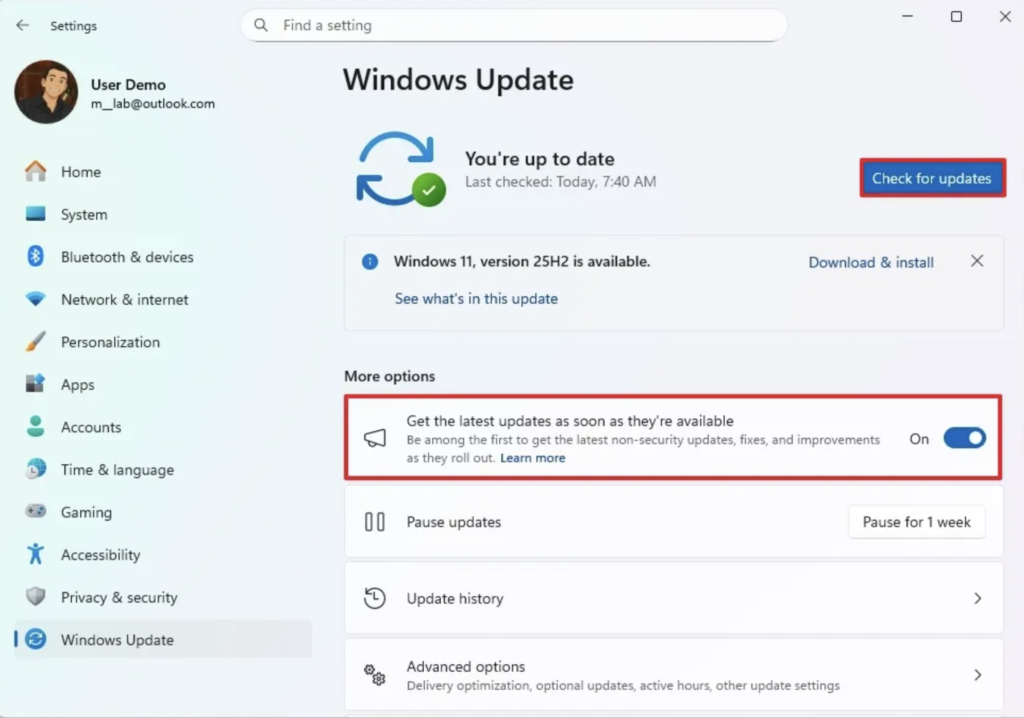
- Open Settings > Windows Update.
- Click “Check for updates”.
- Enable “Get the latest updates as soon as they’re available”.
- Install KB5074105 when it appears.
- Restart your computer.
Should You Install It?
Yes, install the update. The security patches address actively exploited vulnerabilities and critical remote code execution flaws. Skipping February’s Patch Tuesday leaves you exposed to known threats.
But install with caution. Have backups ready. Test on non-critical systems first if possible. Microsoft’s track record this year doesn’t inspire confidence, but the security risks of remaining unpatched outweigh the stability risks of updating.
The eight new features are nice bonuses, but they’re not why you’re installing KB5074105. You’re installing because the security patches are essential. The features just make the necessary update slightly more palatable.
Check Windows Update today, install KB5074105, restart your computer, and hope Microsoft learned from January’s disaster. Your security depends on it.