Nobody enjoys spending money on computer upgrades. The machines work fine, mostly. Sure, they’re a bit slow, and yes, they crash occasionally, but do they really need replacing? The answer is probably yes, and waiting too long costs more than you think.
The Three-to-Five-Year Rule
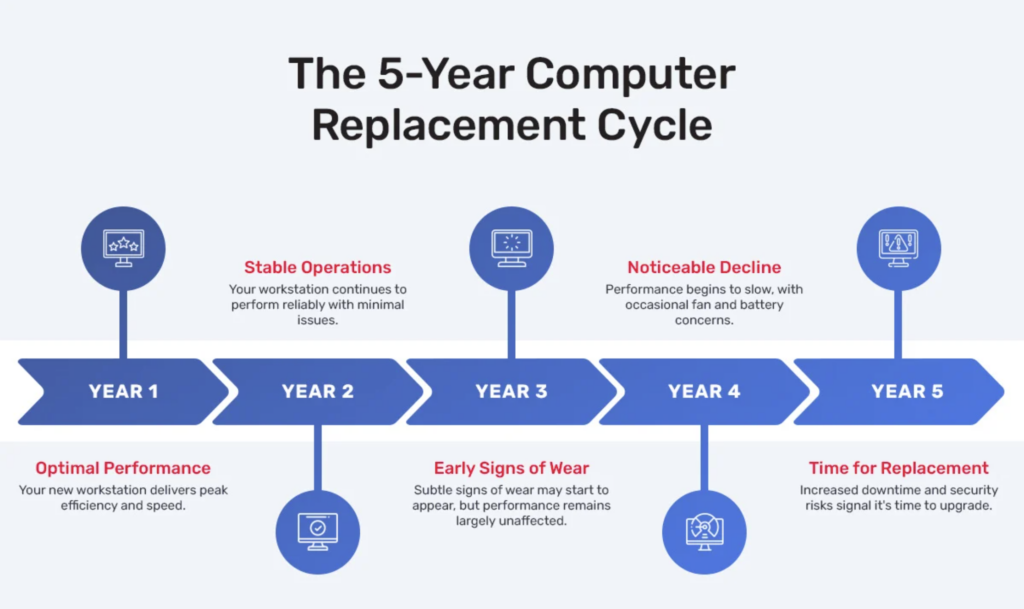
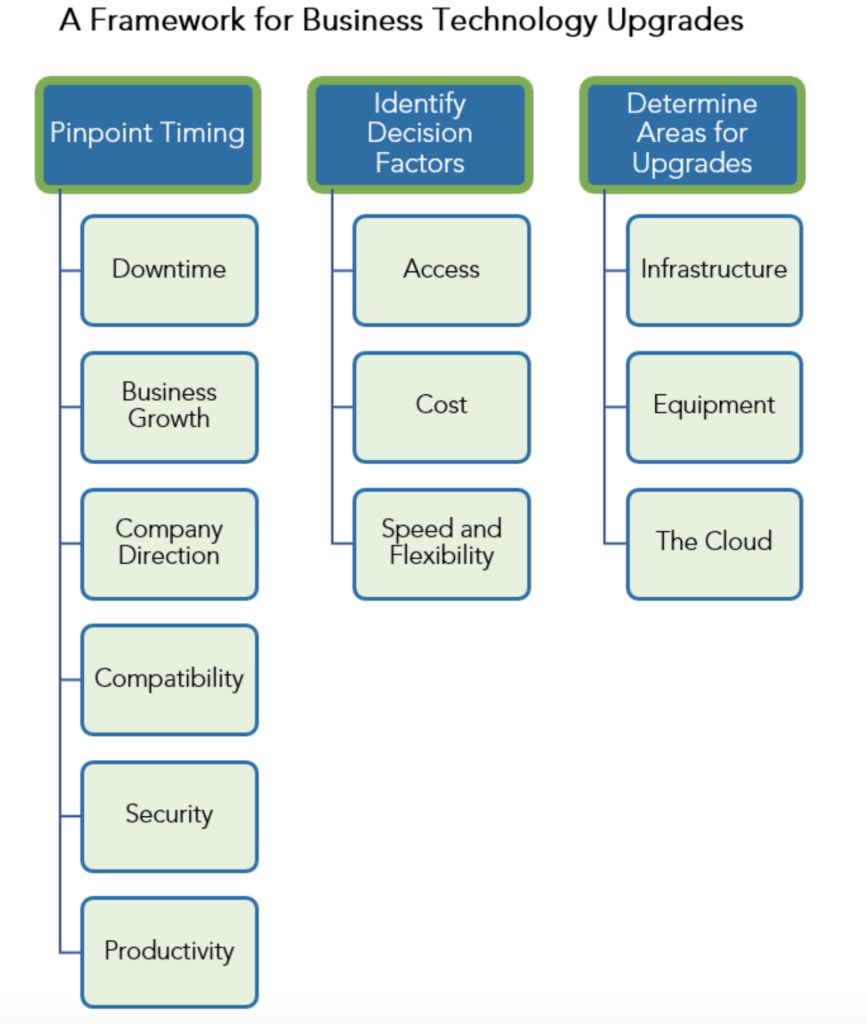
Most business machines last at least three years, and many companies replace them within three to five years to stay in step with support cycles and security needs. But here’s what the data actually shows: computers older than four years cost twice as much in downtime, require double the tech support calls, and experience three times more security incidents than machines under three years old.
The sweet spot for replacement sits between year three and year four. Push past that, and the hidden costs start accumulating fast.
Your Computer Is Screaming for Help
Slow performance ranks as the most obvious sign. If boot times stretch past two minutes, applications take forever to launch, or your computer freezes during normal tasks, the hardware can’t keep up anymore. Employees notice when computers take too long to start, load applications, or display files, and when multitasking becomes impossible.
One study found that when a slow computer causes an employee to take just 45 minutes longer to complete their work each day, that’s 3.75 hours lost per week. At $20 per hour, that’s approximately $3,900 in lost productivity annually – significantly more than the cost of a new computer.
System crashes and unexpected shutdowns disrupt workflows and risk data loss. Blue screens aren’t just annoying inconveniences – they’re warnings that core components are failing. If crashes happen more than once a month, your hardware is failing.
Software Won’t Run Anymore
Software developers design releases based on current hardware specifications. Using outdated systems makes it impossible to run new applications or updates. When your team can’t install the latest version of critical software because the hardware won’t support it, you’re losing access to security patches, new features, and compatibility with client systems.
In 2026, AI-powered features in Office 365, Adobe Creative Cloud, and business analytics tools require more RAM to run smoothly. New software especially demands DDR5 RAM, which is now standard and offers 50% better performance than DDR4. If your computers still run DDR4 or older memory, they’re approaching obsolescence.
Windows 10 support ended in October 2025. Computers still running Windows 10 no longer receive security updates, leaving them exposed to vulnerabilities. If your systems can’t upgrade to Windows 11 due to hardware limitations, replacement isn’t optional – it’s mandatory.
Security Vulnerabilities Are Multiplying
Manufacturers eventually stop providing updates for older systems, leaving them exposed to security risks. Computers older than four years experience three times as many security incidents as machines younger than three years, primarily because they reach a point where software can’t be updated because the system won’t support it.
Just one security breach can cause long-term damage to a small business. Many never recover from them. A malware attack or security breach serves as a wake-up call that your computer systems require thorough assessment and likely replacement.
Physical Deterioration Is Obvious
Consistent hardware use results in visible wear and tear. Dysfunctional keyboard keys, dust-filled cases, loud fan noises from overheating, and battery life that barely lasts an hour all signal aging hardware needs attention.
Laptops face additional concerns because they’re less customizable and more prone to physical damage. Typical laptop batteries last 18 months to two years, especially when used frequently on battery power. After that point, employees tethered to power outlets lose the portability that made laptops valuable.
The Math on Replacement Costs
Budget $1,200 to $1,800 per employee for most office work in 2026. Add another $200 to $400 for monitors, keyboards, mice, and docking stations. For specialized roles, expect higher costs: $2,500 to $4,000 for creative professionals, and $5,000 to $8,000 for AI or data science positions.
Those numbers might seem steep, but compare them to the alternative. Techaisle research found that small businesses with four-year-old PCs spend over $1,500 annually per machine on repairs, upgrades, and productivity losses. That’s more than a new computer every single year.
The 2026 Timing Problem
Here’s uncomfortable news: PC prices are rising. Major vendors including Lenovo, Dell, HP, Acer, and ASUS have warned of 15 to 20% price hikes starting in the second half of 2026 due to RAM shortages driven by AI data center demand. The semiconductor industry faces an unprecedented memory shortage that could persist well into 2027.
If you need computers, buy them in early 2026 before prices jump. New models featuring NVIDIA’s RTX 50-series GPUs and latest Intel and AMD processors are already available. Waiting for better deals means paying significantly more later.
Lifecycle Management Prevents Emergencies
Smart businesses don’t wait for catastrophic failures. They plan replacement cycles:
- Laptops: 3-5 years due to battery degradation and difficulty replacing components
- Desktops: 5-7 years thanks to easier upgrades and better cooling
- Workstations: 5-8 years because of enterprise-grade components built for longevity
Rapid software evolution in 2026, particularly AI features, pushes businesses to replace computers slightly sooner than historical norms. Three years has become the new sweet spot for maintaining productivity and security.
What Actually Makes Sense
Don’t buy computers and hope they last forever. Plan replacement cycles that balance maximum use with minimum disruption. Purchase upgradable systems where you can add RAM, storage, or graphics cards later. Choose computers with three to four-year warranties including on-site repair service.
For businesses with capital, buying outright costs 20 to 30% less over three years than leasing. Leasing makes sense when you need predictable monthly expenses or want easy upgrades every two to three years. Many businesses use hybrid approaches.
The real question isn’t whether you should upgrade – it’s whether you’re going to do it strategically or wait until computers fail at the worst possible moment. Planned replacements cost less, cause less disruption, and keep employees productive. Emergency replacements do the opposite.
The Bottom Line
Computer replacement feels like an expense. It’s actually an investment in productivity, security, and employee satisfaction. The three to five-year window isn’t arbitrary, it’s based on measurable increases in failures, support costs, and security incidents that make older computers more expensive to keep than replace.
In 2026, with prices rising and AI demands increasing hardware requirements, the case for proactive replacement strengthens further. Don’t wait for catastrophic failure. Don’t ignore employee complaints about slow systems. Don’t patch aging hardware indefinitely hoping to squeeze out one more year.
The money you think you’re saving by delaying upgrades? You’re already spending it on repairs, downtime, and lost productivity. Just spend it on new computers instead.